Everyone has heard that you can't fully trust artificial intelligence. What gets said far less often: give AI access to your files, your services and a schedule, and it stops giving advice and starts working.
No agent will do absolutely everything for you. But it can take individual routine processes off your hands entirely. In my case, agents fill my site, sort my mail, organize my archives and put together morning briefs. It doesn't free up much time — but it frees it up every week, without me.
Below are ten scenarios I built myself. All of it runs on ordinary subscriptions, with no complex API and no team of programmers.
---
Four steps: from chat to an agent on a schedule
Working with AI splits into levels. The real payoff starts at the third.
1. Chat. You type, the model answers. Memory lasts exactly one conversation.
2. Project. A folder inside the chatbot with your files and rules. You don't have to explain the context every time.
3. Agent. AI with access to files, a browser, mail and a terminal — Claude Code or Claude Cowork, for example. It doesn't advise, it carries out tasks.
4. Agent on a schedule. A system that starts itself — on a timer or on a new email.
You can handle work tasks in an ordinary chat, but that's like moving furniture by taxi. Here's how third- and fourth-step agents work in my practice.
---
1. Voice notes that turn into tasks on their own
I often dictate thoughts to a Telegram bot while walking or driving. Everything after that happens without me: the voice is transcribed locally, and the agent decides what it was — a task, a useful idea, or just thinking out loud.
Tasks go to a dedicated Notion database, useful ideas go to my knowledge base, and idle chatter stays in the chat. By evening everything is on its shelf, and no thought gets lost in Saved Messages.
You don't have to set this up by hand. I opened Claude Code and asked it to install Hermes Agent — the agent cloned the repo, installed the dependencies and created the config. Codex works the same way, and so does OpenClaw. All that was left for me was logging into my own services.
---
2. One digest instead of ten newsletters
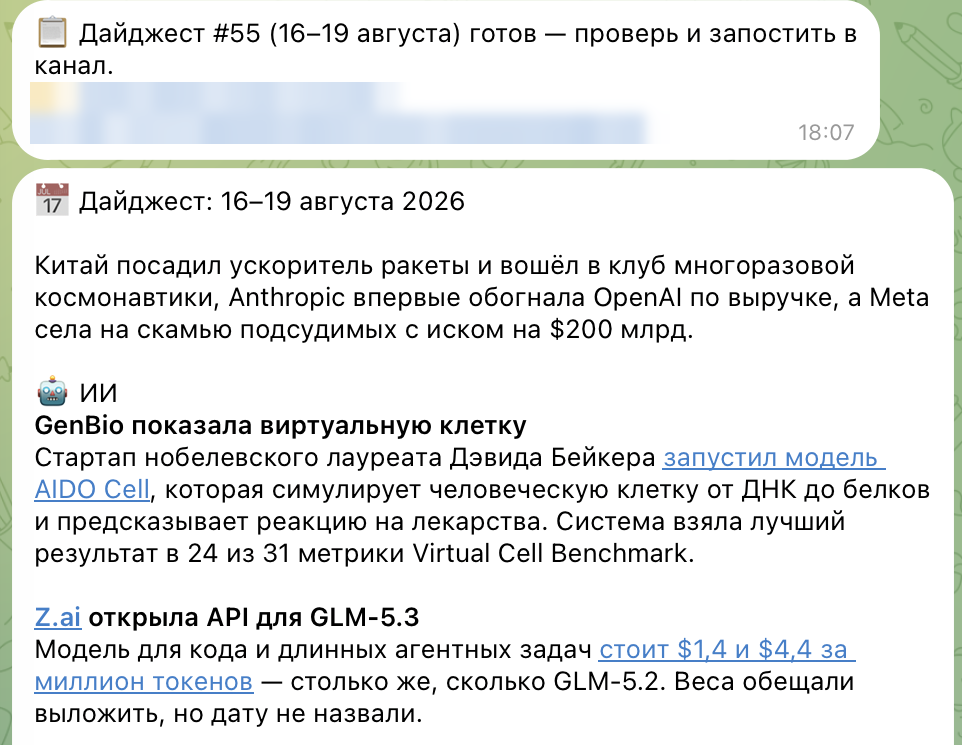
Reading the news is the first thing worth delegating. I subscribe to a dozen English-language AI newsletters, but I stopped opening them by hand.
Twice a week an agent logs into my mailbox over IMAP, collects the emails, filters out what I've already published, and writes a summary. The finished digest lands in Notion, and the link comes to me on Telegram. A morning of reading dozens of emails turned into five minutes with one summary.
---
3. Meeting minutes that write themselves
The agent takes the raw transcript of a meeting (my calls are recorded by MyMeet) and returns the dry residue: who promised what, and by when.
An hour of talking becomes ten lines. After one meeting with a contractor I got four items with dates — one of them was a task I had promised to do myself and had already forgotten.
---
4. News that arrives in Telegram three times a day
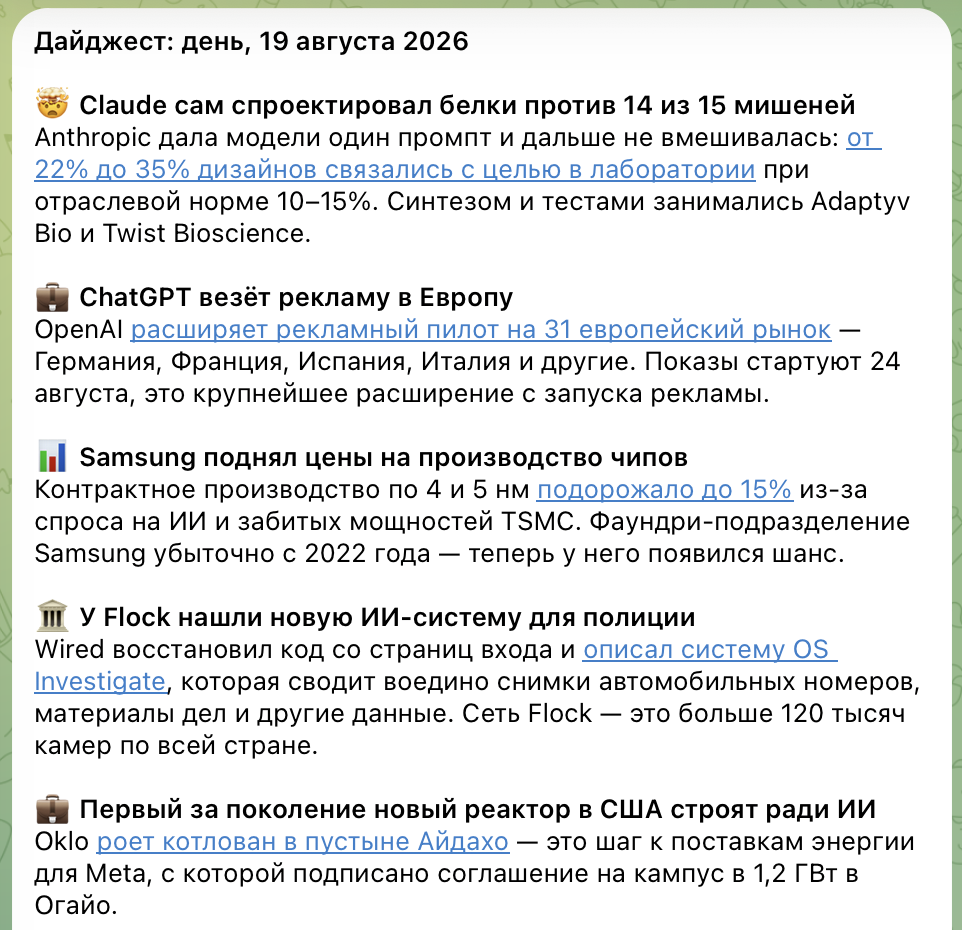
Instead of complex setups like n8n, I configured news collection through Claude Cowork. The agent gathers RSS from the sources I need, formats the text and sends a briefing to Telegram three times a day on schedule. Setup took five minutes.
!The daily news briefing the agent sends to Telegram: headline, gist, source link
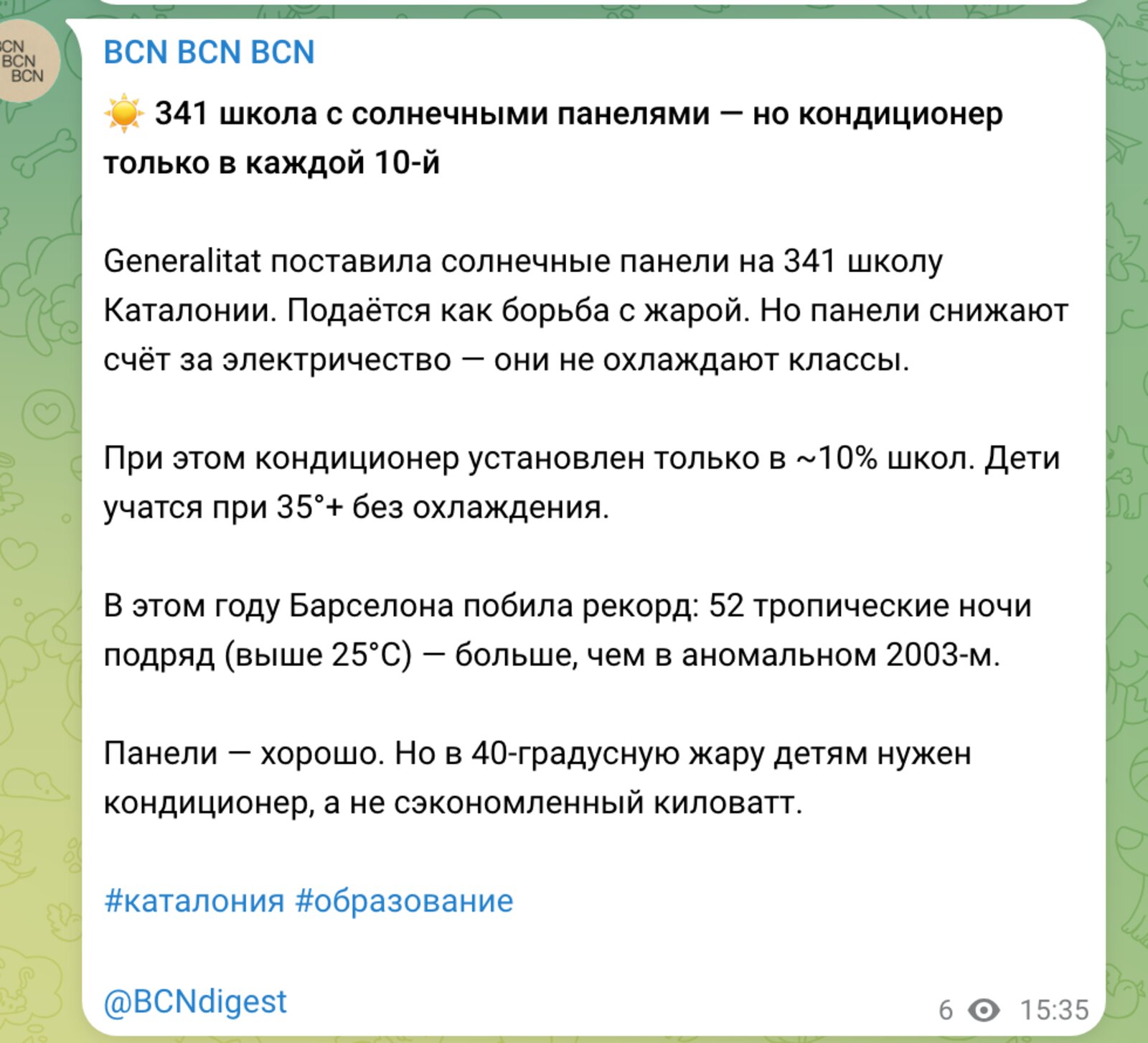
My Barcelona channel BCN Digest runs the same way: on a timer the agent reads Spanish sources, drafts the posts and queues them. I check in once a week.
!The BCN Digest channel: every post here was drafted by a scheduled agent
---
5. The archive that waited years to be sorted
Over several years I'd piled up half a thousand Apple Notes, seventy-odd meeting transcripts, a hundred or so documents on disk and nearly seven hundred AI sessions. Rereading that by hand is impossible.
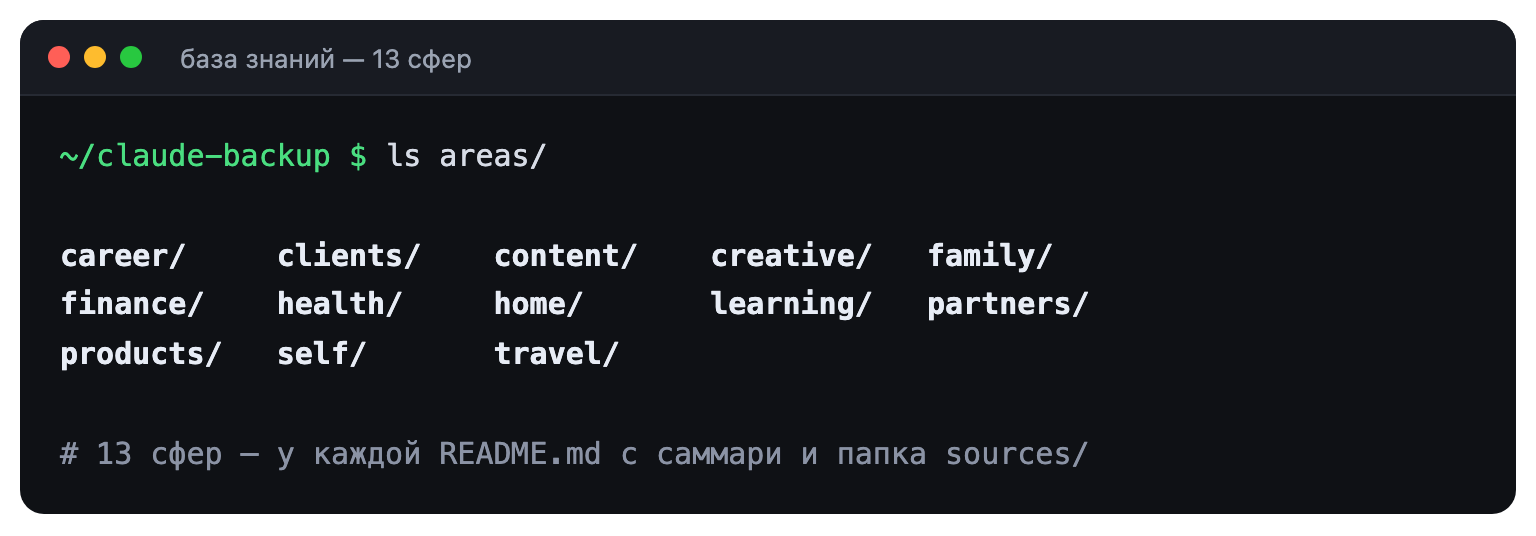
Agents went through the pile and sorted it into 13 topics — from work to health. Each topic is one file with a short summary and links to the sources. Out of scattered CVs and portfolios the agent assembled one master document, from which I now put together applications for specific projects in 10 minutes. The whole knowledge base backs itself up to GitHub every evening.
!Knowledge base structure: 13 areas, each with one README summary and a sources folder
---
6. A site that fills itself without me
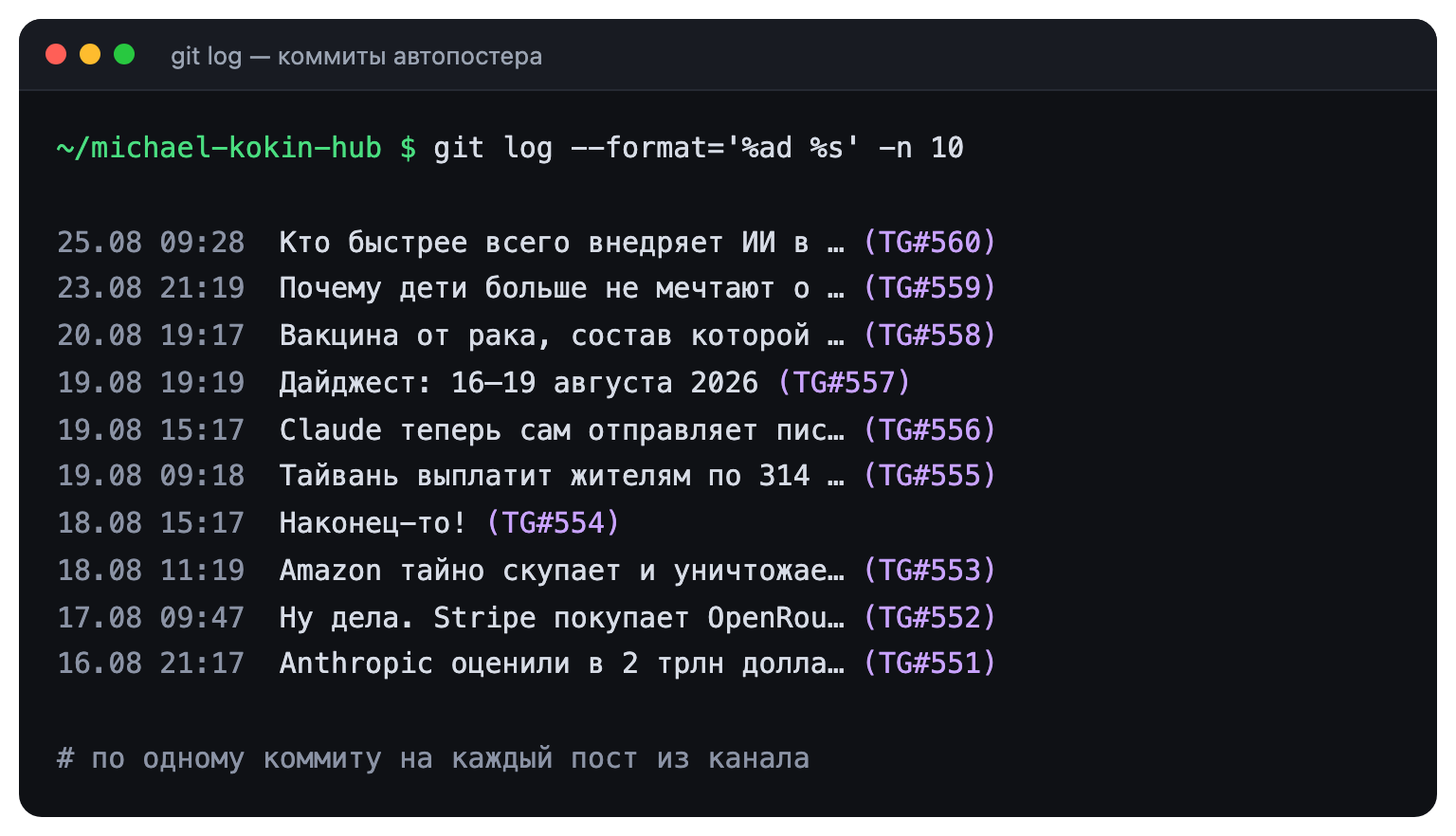
Articles on my site are published automatically. Seven times a day an agent takes the new post from my Telegram channel, works out its format (news, opinion or analysis), writes a headline, translates it into English, picks a cover and updates the site. Since January that has added up to nearly 400 pieces.
!The News section: 375 items, each added by the pipeline from the Telegram channel
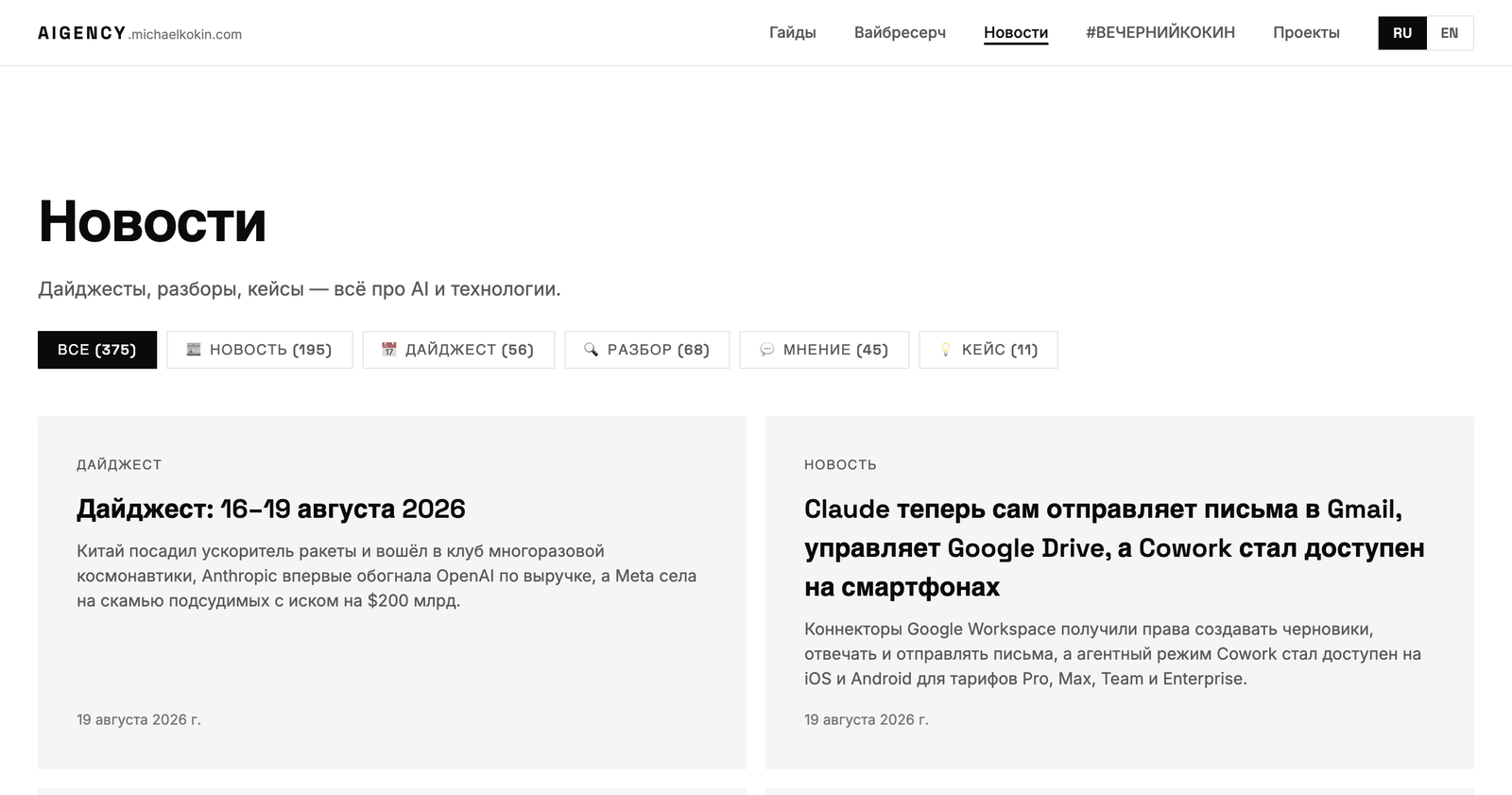
What matters here:
- **Rules matter more than the model.** Quality doesn't come from how smart the model is, but from how thoroughly you've written down your editorial policy. My rules file runs to several pages. A recent example: I had to spell out that a three-line post with a link isn't news, because the agent kept dutifully publishing those.
- **Infrastructure breaks, not intelligence.** Failures usually come from getting logged out of a service or running out of disk space, not from the AI being stupid.
- **Always leave yourself a way back.** The agent commits changes to the site itself, because any commit can be undone in a second. Without that I wouldn't have given it autonomy.
!Autoposter commit history: one commit per channel post, with the post number and the time slot
---
7. The boring manual work: files, video, images
Most computer routine calls for pressing buttons, not thinking: rename, convert, crop. That used to take special programs or scripts. Now an agent with terminal access does it from a text description.
My usual jobs: cut 5 seconds out of a video for a cover, compress 100 images, find lost links in articles — there turned out to be 23. I don't know terminal commands, but the AI does.
---
8. A site, a bot and a service — with no programmer
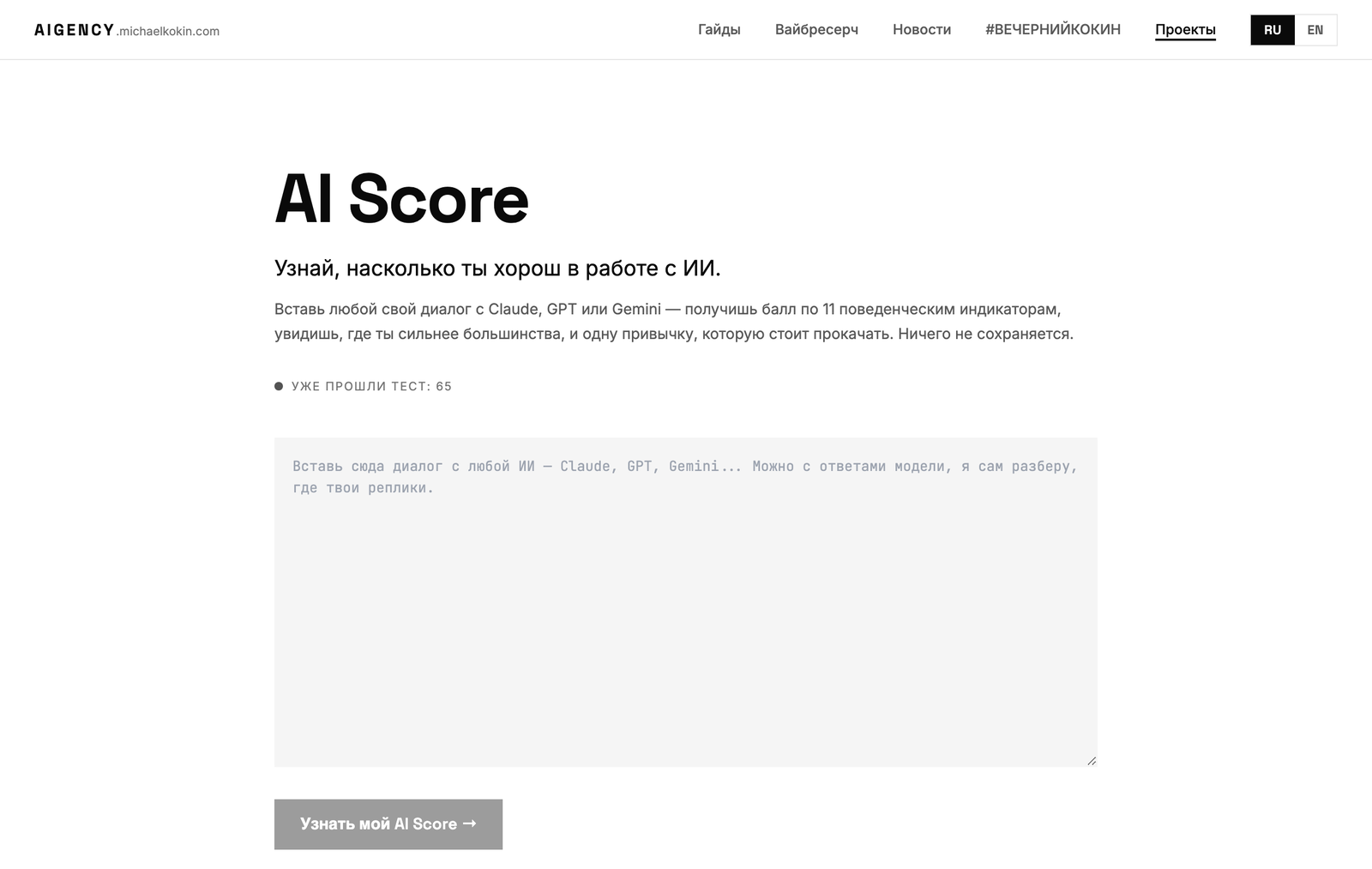
I'm not a developer, but with AI I launched: this site in one day, Humor King — a Telegram bot that judges jokes in a friends' chat, the AI Score analytics service, LLM price research covering 96 models, and an open-source skill pack for Lovable, v0 and other builders.
The AI Score idea, for instance — a service that reads your conversation with an AI and scores how well you work with it — became a working link in one evening. The agent picked the hosting itself, wrote the code, shipped the service and explained how to use it. The rule is simple: if you can describe clearly what should happen, AI will build it.
!The AI Score page: a Cloudflare service, one evening from idea to a working link
---
9. A Telegram assistant: mail, calendar, chats
My personal planner lives on my Mac and talks to me on Telegram. It runs on the Hermes Agent engine, on a ChatGPT subscription, and transcribes voice locally and for free.
It only reads my mail, calendar and chats — it never writes. What it does on a schedule:
- In the morning it sends a brief: what's on today, what's overdue, and it asks one open question.
- It checks reminders and sends me a private message when the time comes.
- On Sunday evening it reviews the week just gone.
- On Tuesdays and Fridays it asks one short question: what's going well and what's stuck.
- Every six hours it pulls in call transcripts and checks its own health.

Two moments that justify the whole thing. One Monday morning the brief reminded me of a deadline sitting in a two-week-old email that never made it into the calendar. Another time the assistant dug a promise to meet out of a chat that only the other person still remembered.
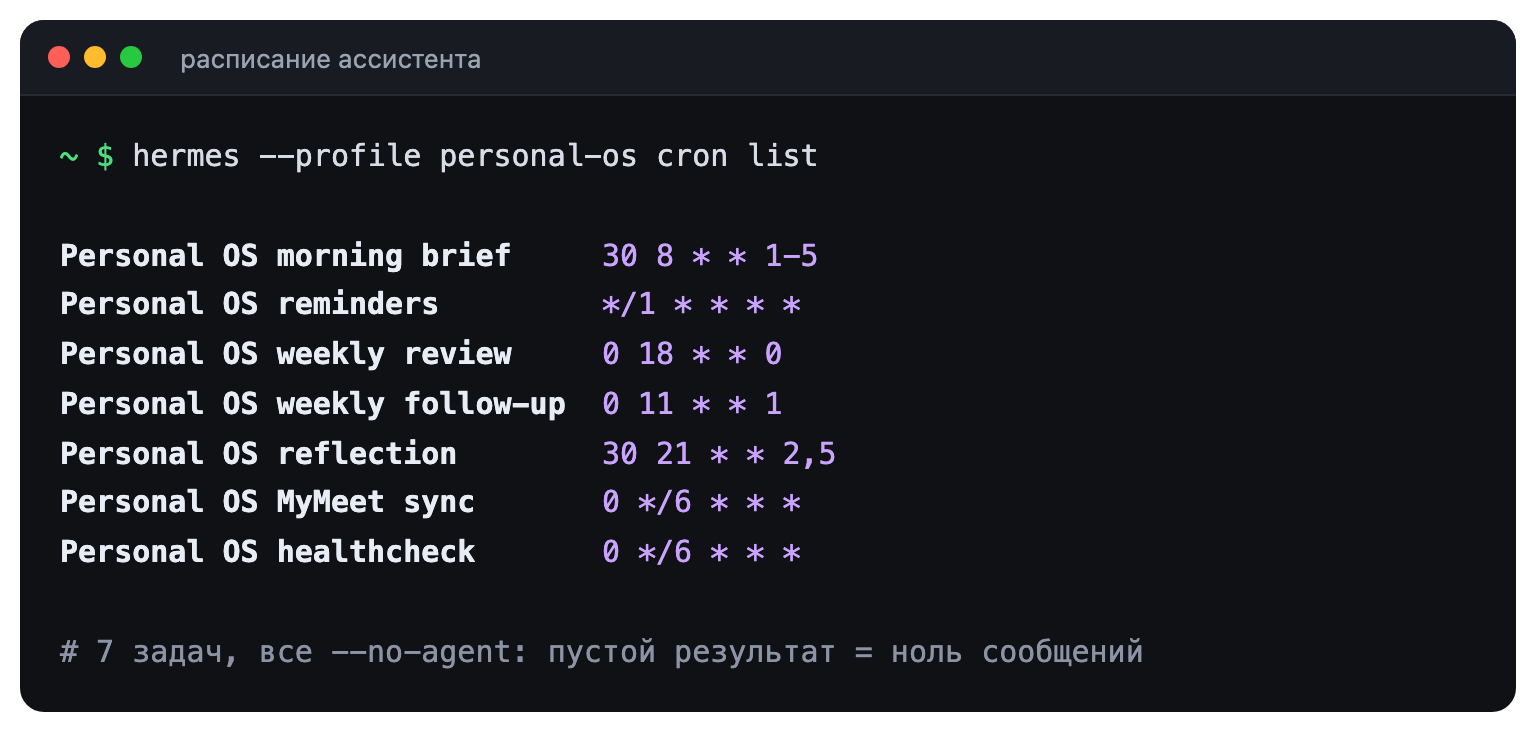
This works because the agent has no "send" button — it only prepares the information, and I act. And if there are no tasks, it stays quiet instead of sending empty notifications. Facts, decisions and statuses go into memory, not everything: otherwise the knowledge base turns into a chat log.
---
10. One context for every AI
All of this automation rests on context. If an AI doesn't know who you are and what you do, it starts from zero every time. Why it's the context that matters and not the model, I wrote about in the column You are your context.
I wrote down information about myself, my projects and my preferences in plain text files — how that's set up is in the guide How to stop re-explaining yourself to every AI. Now I start any chat straight with the task. Every couple of months I ask the agent to read all my recent notes and tell me what I'm actually working on versus what I only plan to. Last time it turned out I hadn't moved two "main projects" in six weeks — that sobers you up better than any tracker.
---
What I still do myself
There are three things I don't trust to agents:
1. The last button. Sending money, signing a contract or publishing an important text should always be a human.
2. Fact-checking. If information can't be confirmed at a glance, I go find the primary source.
3. Confidentiality. Personal data and trade secrets never go into public chatbots.
The neighboring guide covers this in detail.
---
Bonus: ask AI to find where you're wrong
Before handing in something important, I never ask the model to "make it look good." I ask it to find the weak spots in my logic and my arguments.
Once, before a pitch, the model convinced me I was wrong — the deck had to be rewritten. And the headline of this very guide went to three models for review: two said the first version sounded like a webinar ad. They were right. By default AI agrees with everything, so you have to ask it outright to argue — more in LLMs are the perfect devil's advocate.
---
Where to start: one task, one evening
To build your first agent, take five steps:
1. Write down your routine actions: triage mail, rename files, compile a table.
2. Pick one task whose result you can see right away.
3. Write the AI a brief the way you would for a freelancer: what to do, from what, and in what format. Attach an example.
4. Give it the context and upload the files it needs.
5. Run it. If it broke — fix the instruction, not the model. Once the task goes through cleanly three times, put it on a schedule.
A month of evenings like that and you'll have your own small automated newsroom, tech support and back office.